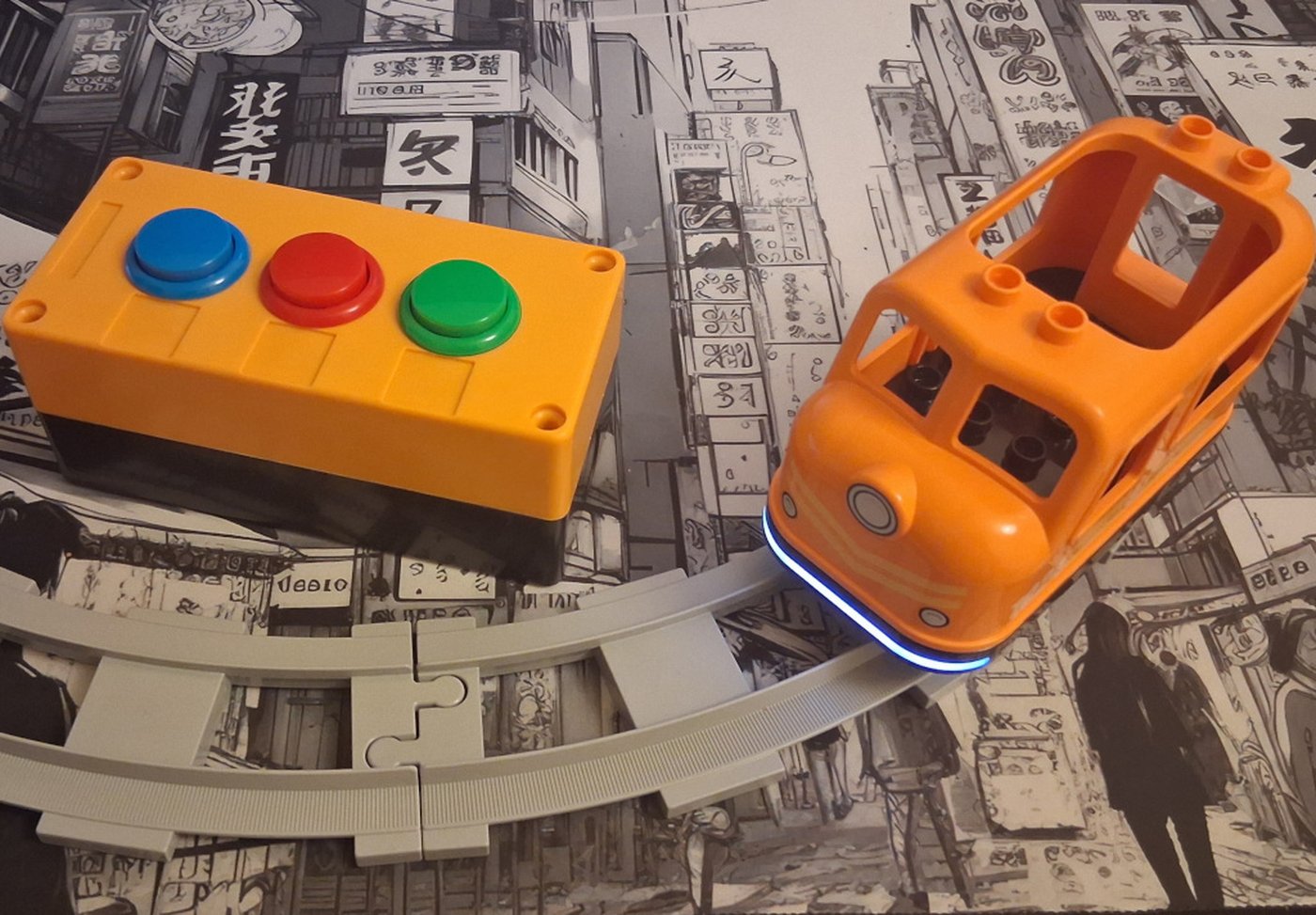
The Train Box
He struggled to drive the train with the official app — a toddler's thumbs against a tiny touchscreen never stood a chance — and pretty soon he'd give up and ask for YouTube instead.
So I built a box with three big buttons instead: the same kind used in arcade machines, big and made to take a beating. So is the box. It was his birthday present that year, and a year of toddler abuse later, it still runs fine.
I'm building a second version now. It:
- Charges over USB
- Needs no maintenance
- Has better range
If it holds up as well as the first, it might finally be the one I actually sell.
Not for sale yet — email works better than a cart right now.
One page, taped to the wall.
It's a throttle, not three separate commands.
going full speed backward and hit green? it just slows you down — won't jump straight to forward.
There's a secret menu.
Blue cycles, green selects, red backs out without saving — at any point. Here's what that looks like in practice: changing the train's sound.
-
Press red ×10, until the train beeps once. You're in the menu.
-
Press blue until it beeps again — that one means “change sound.”
-
Press green to open it.
-
Press blue to cycle through sounds — including no sound at all.
-
Press green to save it to the train.
changed your mind partway through? red backs out, nothing saved.